Download the full Custom Fields overview
Tailor your data to fit your operations.
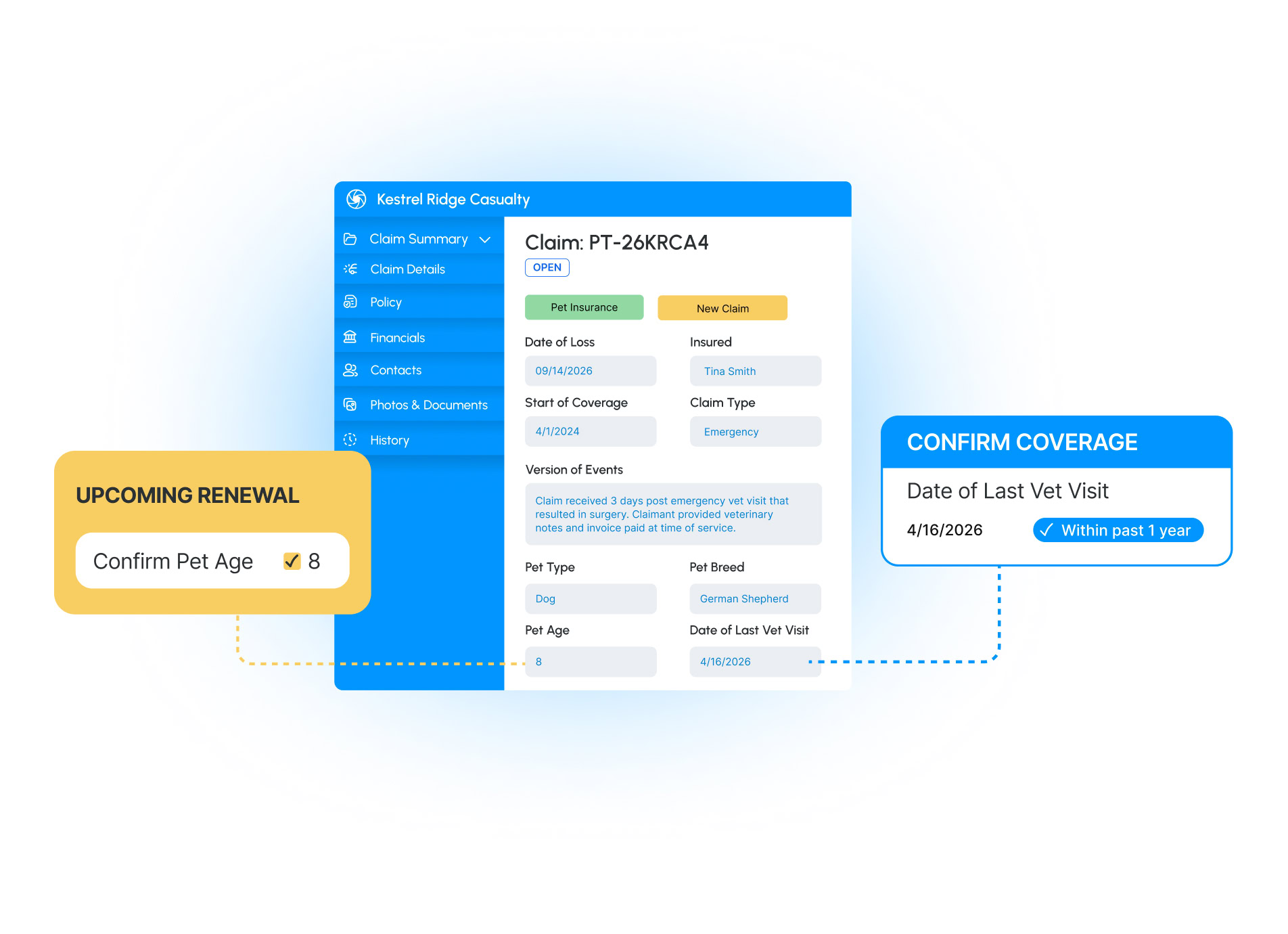
Every line of business tracks something another one doesn’t. A pet policy needs age, breed, and medical history while a personal property claim needs the manufacturer and model year of a damaged appliance. And when those data points don’t have a designated home, they end up buried in file notes where they can’t be validated, reported on, or trigger next steps.
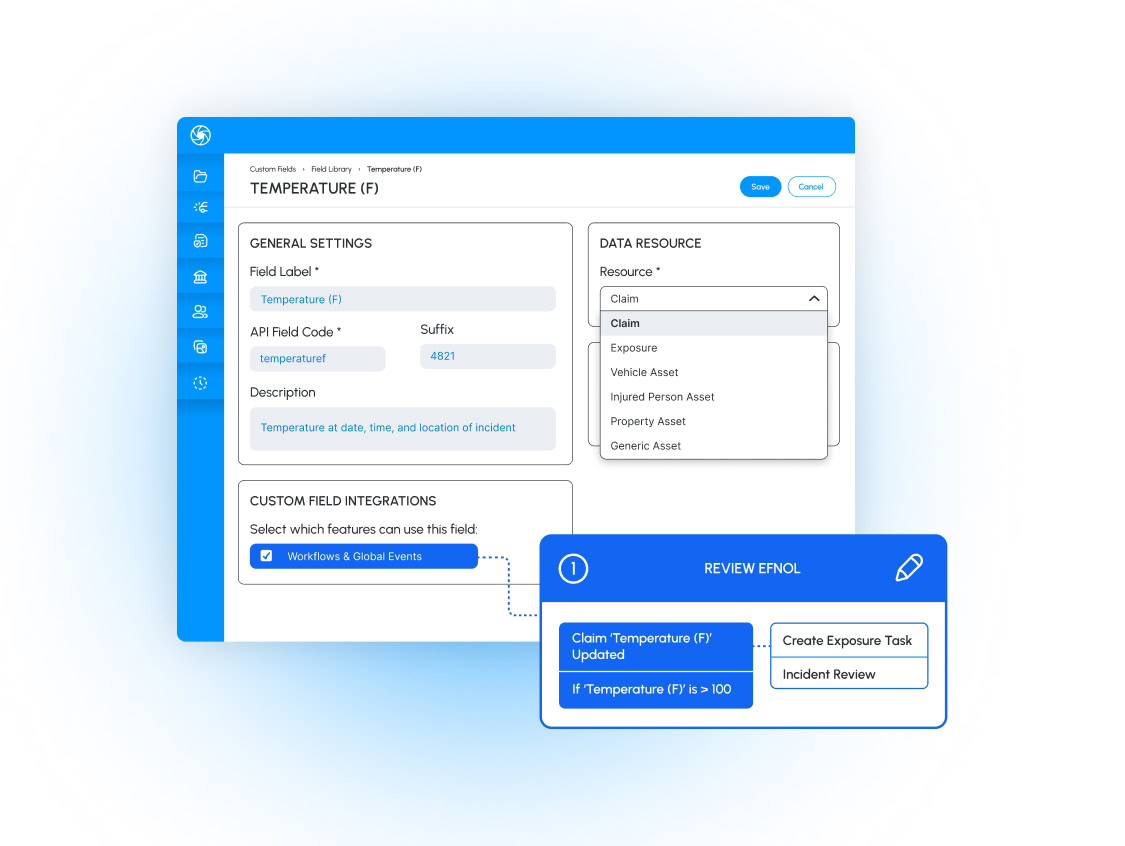
Custom Fields enables system admins and claims managers to create and add specific data points to claims, exposures, assets, and vendor tasks, and then put them to work in workflows and operations.

Tailor layouts by claim type
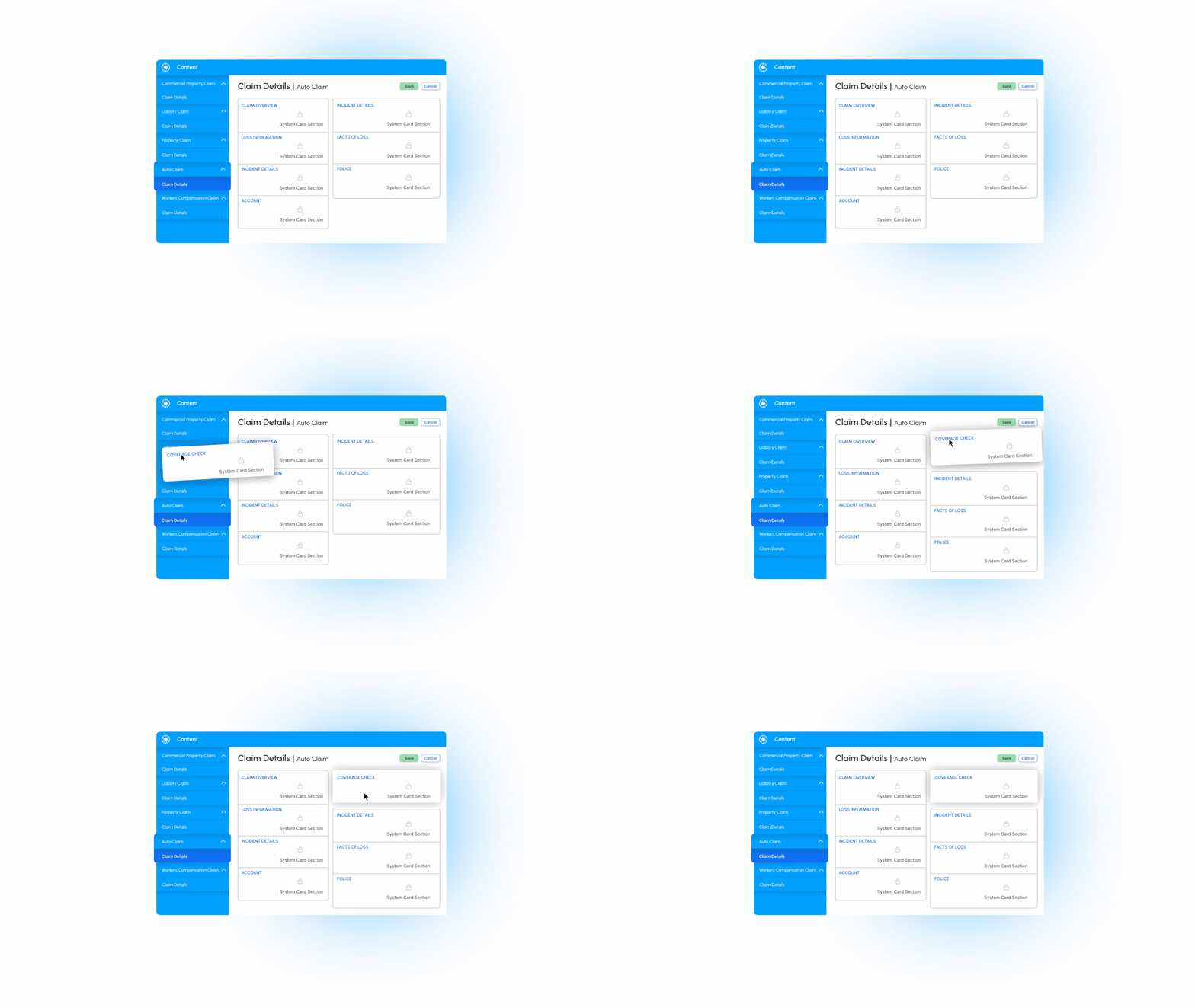
Admins can designate where custom fields live and in what priority, group related fields, and assign unique formats to different claim types.

Automate the details
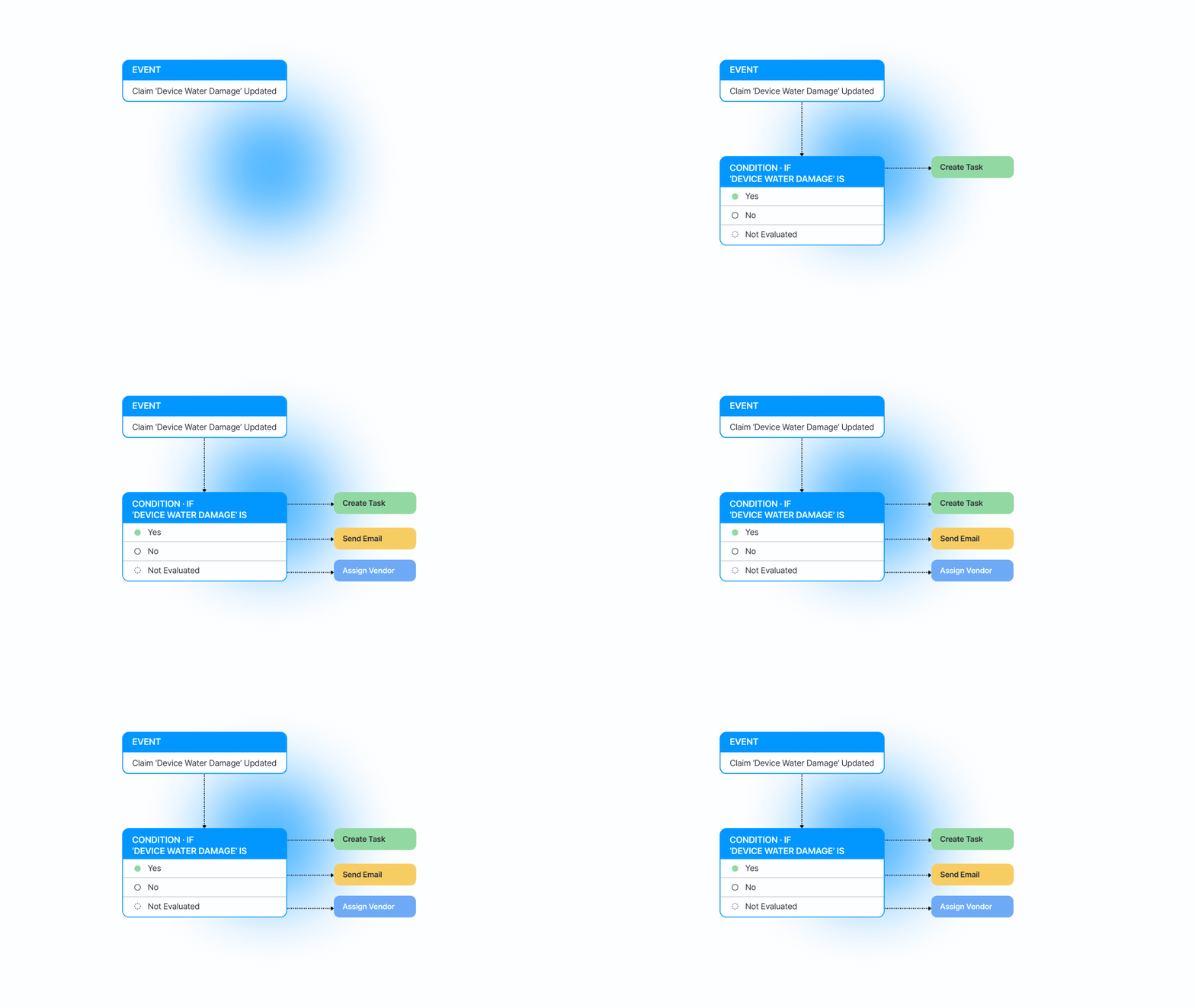
Custom fields work as events, conditions, and actions within workflows so new or updated values can initiate next steps automatically.

Add fields without IT
Admins create fields in an intuitive interface and can leverage draft views to test validations before publishing to the live system.

Flex to fit vendor processes
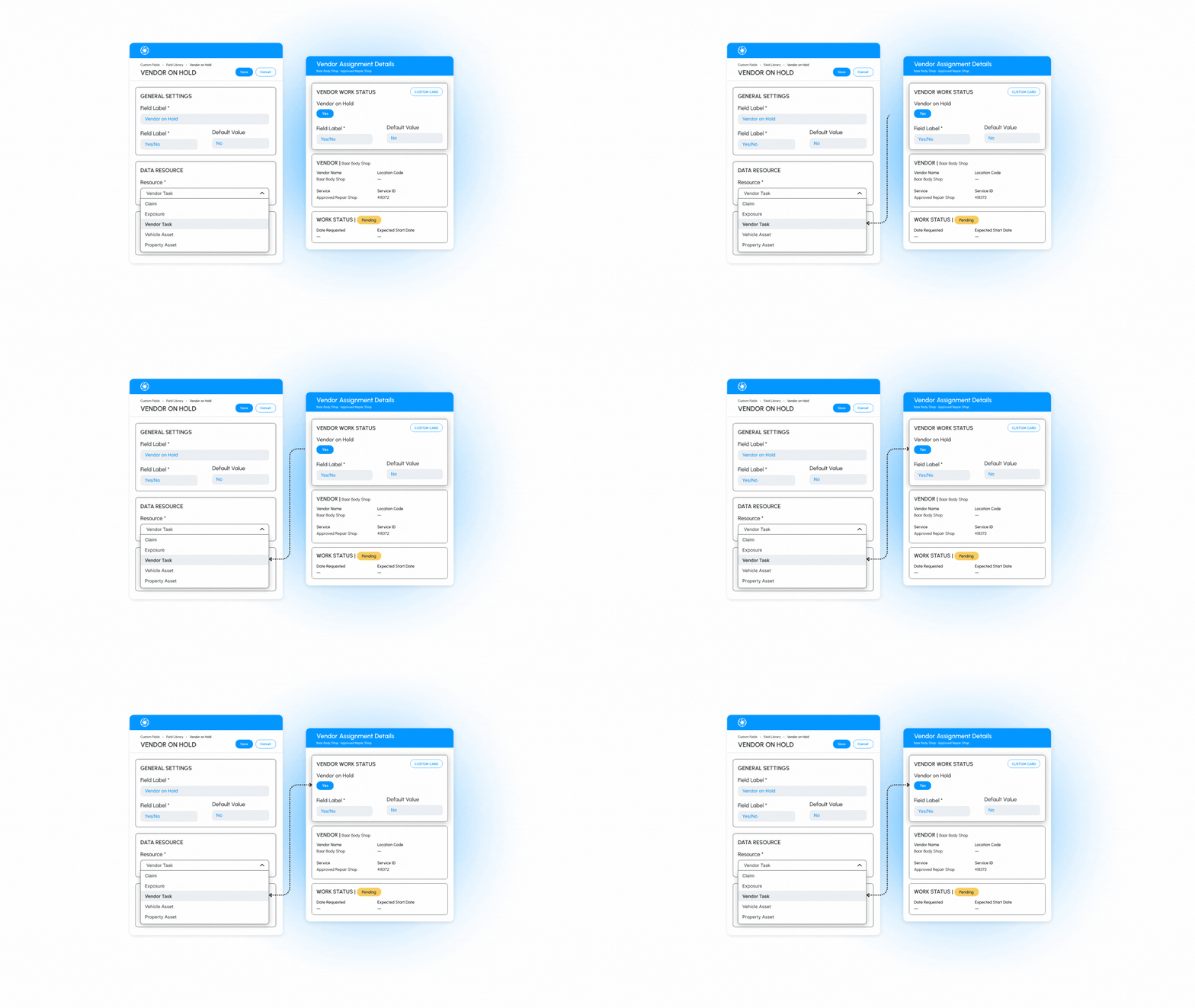
“Is this a title express assignment?” or “invoice status” can sit on a dedicated card inside a vendor assignment and trigger action steps in workflows.

Let data take the next step
Field values can be used to initiate different task sequences based on whether a numerical value meets a threshold, a date falls in a certain range, or a status is updated to a certain stage.
Put the right details at the forefront
Configure custom views for auto, property, and liability claims so adjusters land on priority data first.
Track what vendor jobs need
Custom fields can be added to vendor tasks to keep adjusters up-to-date when work orders change, ETAs update, or new info is submitted.
